Working with records
How a record page is laid out, and what every surface does — the side panel, inline editing, and linking related records.
A record in Corto is one row in one of the standard objects: a Company, Person, Opportunity, Note, or Task. Every record has the same anatomy and the same set of surfaces — once you know the layout for one, you know them all.
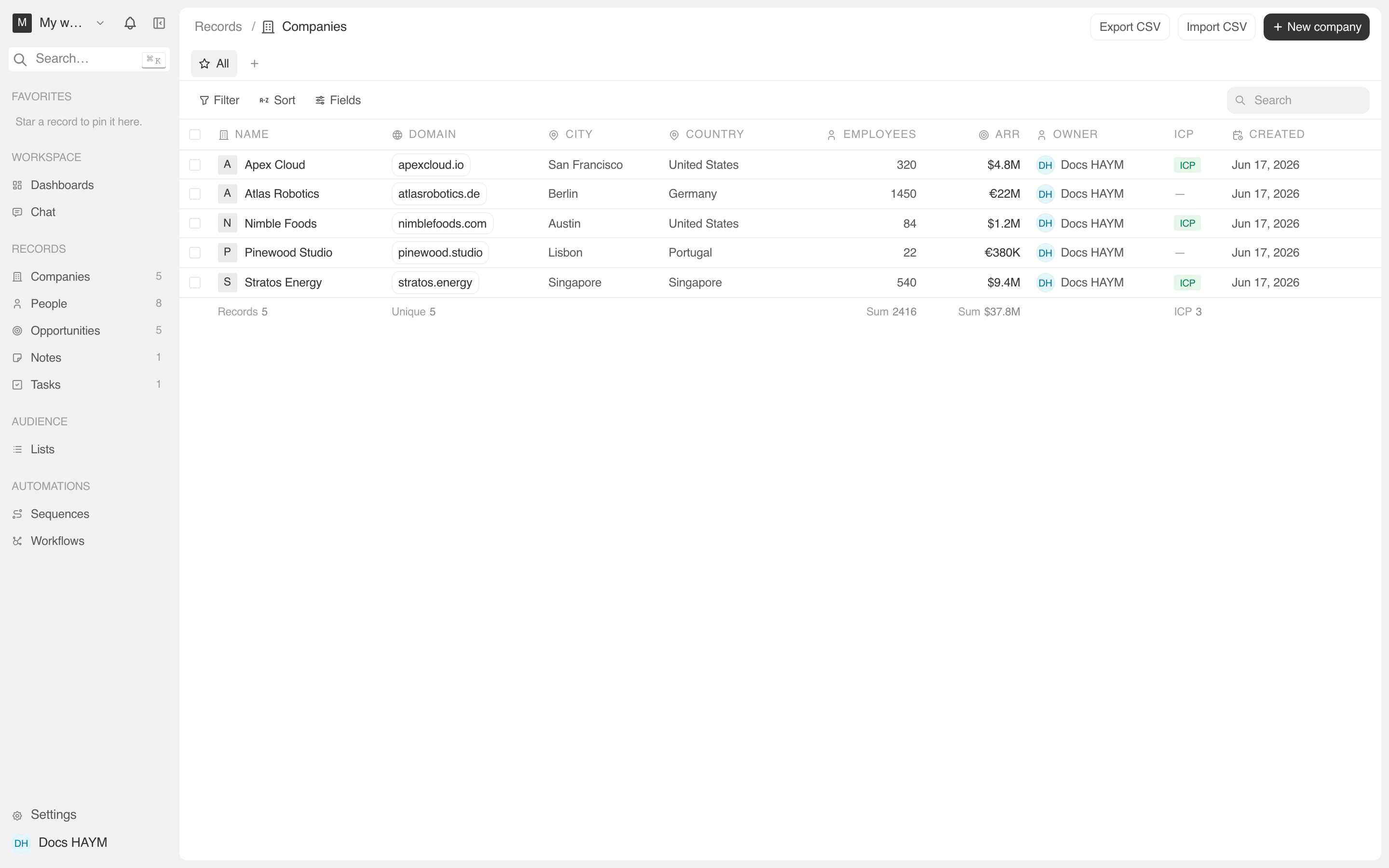
The three places you'll edit a record
Corto gives you three surfaces for the same data, each tuned to a different job:
| Surface | Best for | Where you find it |
|---|---|---|
| Table cell | Sweeping changes — bulk stage moves, retitling a column of deals, mass owner reassignment. | The list view (e.g. Opportunities → Table). |
| Side panel | A focused tweak without losing your place in the list. Edit any field with one click; the row updates instantly. | Click a row from any list view. |
| Detail page | Long-form work — writing a note's body, adding many people to a company, attaching files. | Click the record's name, or press ⌘↩ from the side panel. |
The list, side panel, and detail page all read from the same source, so an edit on one updates the others — there's no "save changes" button anywhere. Hit blur or ↩ and the change is live across the workspace.
Edits are optimistic — the cache flips to the new value before the network round-trip, then reconciles on settle. If the server rejects the write, the field visibly reverts and a toast surfaces the reason.
The side panel in detail
The side panel is the fastest surface. Clicking a row from a list opens it on the right; clicking the same row again closes it; pressing Esc does the same. The URL updates to include the record's id so you can share the link and your teammate lands on the same panel.
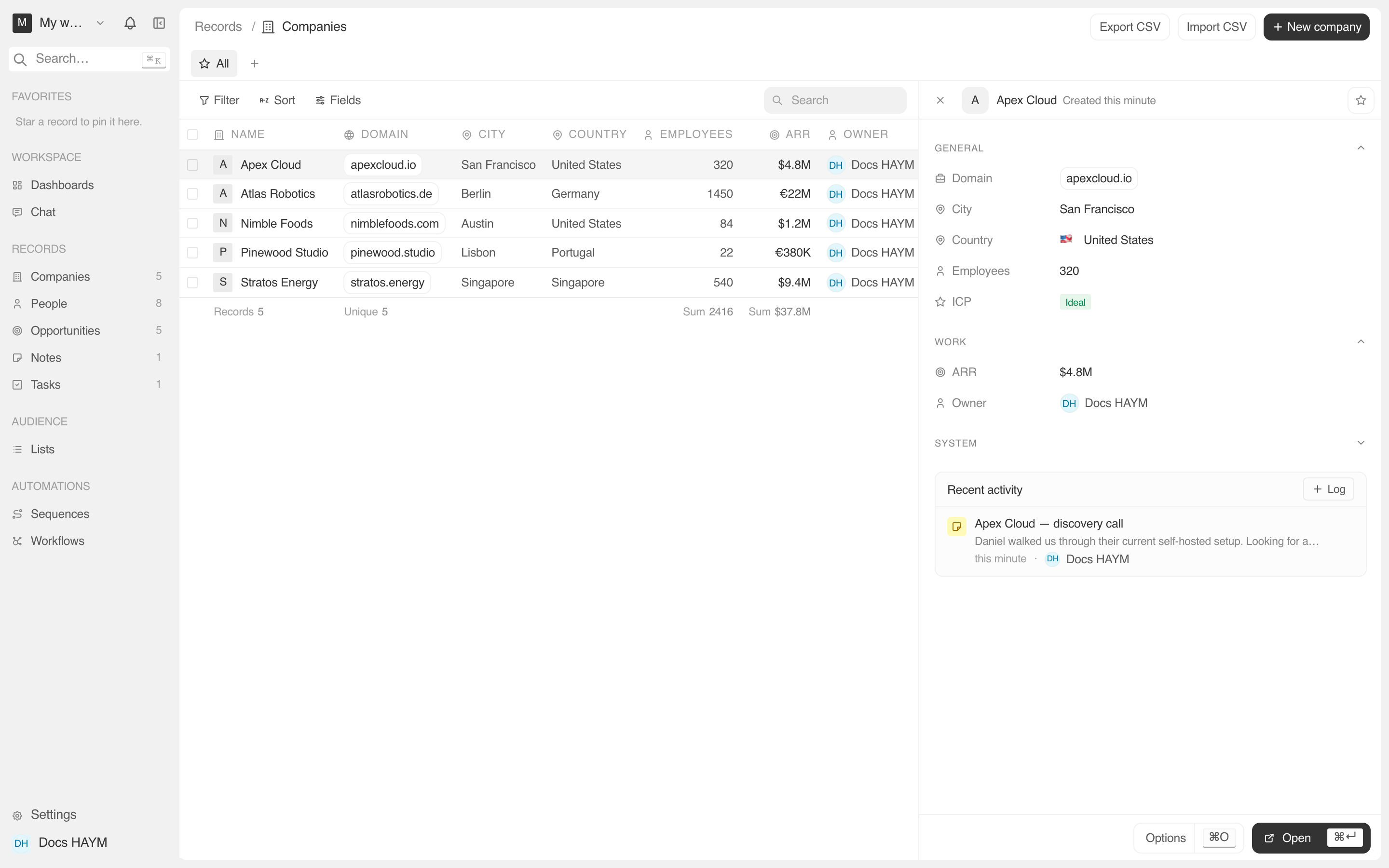
Each panel groups the record's fields into expand/collapse Sections:
- General — the always-visible fields (name, primary email, etc.)
- Work — pipeline / role context (stage, amount, ARR, job title)
- Social — external profiles (LinkedIn) — collapsed by default
- System — created/updated timestamps — collapsed by default
Beneath the sections lives the Recent activity card — a single feed merging notes, tasks, calls, emails, calendar events, and stage changes for that record.